Resume Parsing: How Software Reads Your Resume and What You Can Control
Resume parsing decides how software sees your experience. Learn what parsers extract, what formatting breaks them, and how to fix your resume today.
 JobzseekerAI Team8 min read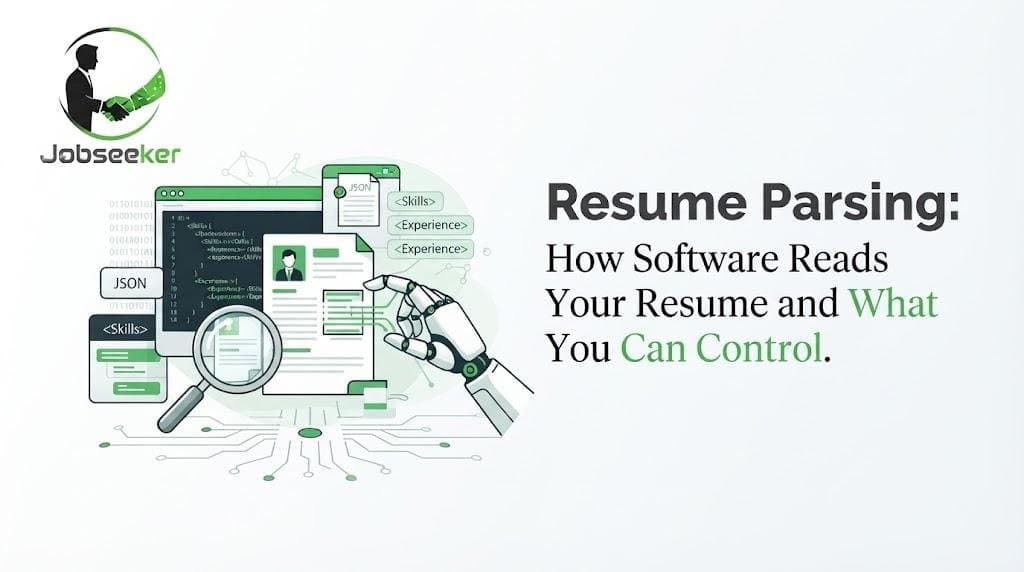
You spent an evening getting your resume just right. The two-column layout looks sharp, the skill bars are color-coded, and your name sits in a stylish header. Then you upload it to a job portal, and the form that auto-fills from your file puts your job title in the "School" field and leaves your work history blank.
That small disaster is resume parsing at work. Before a recruiter reads a single line, software usually tries to break your document into structured data: name, contact details, job titles, employers, dates, education, and skills. If it misreads your file, the version of you stored in the employer's system is incomplete, and incomplete profiles are harder to find.
The good news is that most parsing problems come from a handful of formatting choices you fully control. Here's what resume parsing actually does, where it tends to go wrong, and how to build a resume that reads cleanly to software and people alike.
What Is Resume Parsing?
Resume parsing is the process of converting a resume from a document into organized, searchable fields. A resume parser reads the text in your file, works out what each piece of text represents, and stores it in a structured record. Your "Senior Accountant" line becomes a job title, "Deloitte" becomes an employer, and "2019–2023" becomes a date range attached to that job.
Most applicant tracking system (ATS) platforms include a parser, which is why so many application portals ask you to upload a resume and then confirm auto-filled fields. Older parsers rely heavily on rules: recognizable headings, predictable date patterns, and familiar layouts. Newer ones use language models to interpret context. Both work best when your document is clear and conventional.
What a parser typically pulls out
- Contact details: name, email, phone number, city and state, and profile links.
- Work history: job titles, employers, locations, and start and end dates.
- Education: schools, degrees, majors, and graduation dates.
- Skills: tools, technologies, languages, and methods named anywhere in the document.
- Certifications and licenses: credentials such as PMP, CPA, or an RN license.
Why parsing matters even when a human decides
You've probably heard that an ATS "rejects" most resumes before a person ever sees them. That claim gets repeated a lot, but it oversimplifies things. Most applicant tracking systems are databases and workflow tools. Automatic rejections usually come from knockout questions, such as work authorization or a required license, or from a recruiter's own filters and choices.
Parsing still matters, though, because recruiters search the parsed data. When a recruiter looks for candidates with "Salesforce" and "Spanish," the system checks the fields it extracted. If your skills landed in the wrong place or weren't captured at all, you simply don't show up in that search.
How ATS Reads Resumes: The Five Stages
Parsers differ, but most follow a similar sequence. Understanding it helps you see exactly where a resume can break.
- 1Text extraction. The software pulls raw text from your file. Word documents and text-based PDFs hand over real characters. Scanned images require optical character recognition (OCR), which adds another chance for errors.
- 2Segmentation. The parser looks for section headings to decide where your experience ends and your education begins.
- 3Entity recognition. It identifies names, companies, titles, degrees, and dates within each section.
- 4Normalization. Some systems standardize what they find, mapping "Sr. Software Eng." to "Senior Software Engineer" or "JS" to "JavaScript."
- 5Indexing. The structured record is saved so recruiters can search, filter, and compare candidates.
A problem at any stage carries forward. If text extraction scrambles the reading order, segmentation fails, and every step after it inherits the mess.
Resume Parsing Problems Caused by Formatting
Design-heavy templates are the most common cause of bad parsing. They look polished as a PDF but often hide their structure from software.
Columns, tables, and text boxes
People read a two-column resume left column first, then right. A parser may read straight across the page, line by line, merging your skills list with your job descriptions. Text boxes are even riskier because some parsers skip them entirely. A single-column layout removes the guesswork.
Headers and footers
Many templates place your name and contact details in the document header. Some parsers ignore header and footer content, which can leave your record without a phone number or email. Put contact information in the main body of the page.
Icons, graphics, and skill bars
A phone icon next to your number, or a five-dot bar showing your Python level, means nothing to a parser. At best it's ignored. At worst it becomes stray characters in your record. Write it out instead: "Python (advanced, 4 years)."
Creative section headings
"Where I've Made an Impact" sounds memorable, but a parser looking for "Experience" may not recognize it. Save the personality for your bullet points and use standard resume section headings.
Inconsistent dates
"Summer '22 – now" and "2021 to Present" in the same document force the parser to guess. Pick one format, such as "June 2022 – Present," and use it everywhere.
Choosing the Best File Format for Your Resume
The best file format for a resume is the one the employer asks for. If the posting specifies DOCX or PDF, follow it. When there's no instruction, a text-based PDF or a DOCX file both work well with most modern systems.
Avoid image files and scanned documents when you have a choice. Even good OCR can misread characters, especially in small fonts. Also avoid less common formats, such as Apple Pages files, unless they're explicitly accepted.
Here's a quick test you can do in thirty seconds. Open your PDF, select all the text, and paste it into a plain text editor. If the result comes out in a sensible order with your sections intact, a parser has a good chance of reading it correctly. If it comes out jumbled, fix the layout before you apply anywhere.
Before and After: A Parser-Friendly Rewrite
Here's a work history entry written for style rather than clarity:
Before:
★ Growth Wizard @ BrightPath (2021–Now)
Crushed Q3 targets | HubSpot ninja | Team player
A parser can't confidently identify the title, employer, or location here, and "ninja" won't match any recruiter search. Here's the same experience rewritten:
After:
Marketing Manager
BrightPath Health, Chicago, IL | March 2021 – Present
• Managed a $400K annual paid media budget across Google Ads and LinkedIn
• Built HubSpot lead-scoring workflows that shortened handoff time to sales
• Led a team of three content and email marketing specialists
The rewrite uses a recognizable job title, a clear employer and location, a consistent date format, and specific tools a recruiter might search for. It's also more convincing to a human reader. Clean parsing and strong writing usually point in the same direction.
Resume Keywords and Section Headings That Help
Stick with headings that parsers expect: Summary, Work Experience, Education, Skills, Certifications, and Projects. Variations like "Professional Experience" are fine. Clever ones are not.
For resume keywords, use the exact terms that appear in the job posting when they truthfully describe your experience. If the posting says "accounts payable," don't write only "AP." When a credential has both a long form and an acronym, include both once, as in "Certified Public Accountant (CPA)." That covers recruiters who search either version.
Skip tricks like pasting keywords in white text. Recruiters often view the parsed text, where hidden words appear in plain sight and look like an attempt to game the system.
Your ATS-Friendly Resume Checklist
- Single-column layout with no text boxes
- Contact details in the body of the page, not the header
- Standard section headings
- Consistent date format throughout
- Skills written as words, not graphics
- Exact job-posting terms where they honestly apply
- DOCX or text-based PDF, unless the employer asks for something else
- Passes the copy-and-paste test
Where Parsing Fits on JobzseekerAI
JobzseekerAI runs on the same principle, applied in your favor. When you create a free job seeker profile, you upload your CV once, and the platform's CV Categorizer extracts your skills, education, and experience, writes a short summary, and places you in a role family. Companies then search that structured profile rather than a stack of PDFs.
The answers in the JobzseekerAI FAQ list the accepted file types: PDF (including scanned files through OCR), PNG and JPG images, DOCX, and plain text. Every rule in this article still applies, though. A clean, single-column, text-based file gives any parser the best raw material to work with. You can see how the three matching agents hand off to each other to understand what happens after your upload.
Frequently Asked Questions
Do recruiters see my original resume or the parsed version?
+
Often both. Many systems store the original file alongside the parsed record. Recruiters frequently search the parsed data and then open the original to read it, so both versions need to be accurate.
Can a resume parser read PDFs?
+
Most modern parsers handle text-based PDFs well. Problems usually come from scanned PDFs, image-heavy designs, or complex layouts, not from the PDF format itself.
Can I still use a designed resume?
+
Yes, for situations where a person receives it directly, such as a networking email or an in-person interview. For online applications, keep a simple version that parses cleanly.
Does an ATS score or rank my resume?
+
Some systems do produce match scores or rankings, and others don't. Features vary widely between platforms and between employers using the same platform, so focus on clarity and relevance rather than trying to beat a specific score.
Should I put my full street address on my resume?
+
Not necessary. City and state are usually enough for location searches and protect your privacy.
Make Your Resume Easy to Read, Then Let It Work for You
Resume parsing isn't a gatekeeper you need to outsmart. It's a translation step, and your job is to make that translation easy. Choose a simple layout, use standard headings, write your skills as plain words, and test your file before you send it. Then put that clean resume to work: upload it once to JobzseekerAI's job marketplace, and let matching bring relevant companies to you.
Let the right work find you.
Upload your CV once. JobzseekerAI matches you with companies, and your contact details stay hidden until a company unlocks your profile.
Create your free profile